A leap motion remote controlled robotic arm build with Makeblock.
Category Archives: technology
Using LEAP to extend Gameplay experience.
User SorryAboutYourCats, shows a demonstration of using the LEAP Motion and a Gamepad with Rayman Legends.
Happio Leap Motion Sync Demonstration
Make a (cool) presentation on several devices in real time.
User wi.ll.iam widjaja shows how it looks like.
Once more: Terminator – Control of fingers of a robotic hand
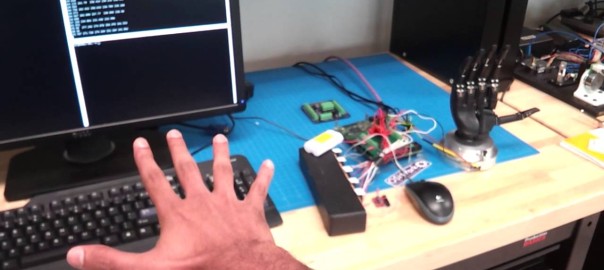
Prashant Rao demonstrates how he uses Leap Motion to control a robotic hand with his hand – each finger identified and subsequentely controlled.
LEAP Motion and SWYPE Keyboard test
Dartman333 shows a little demo of how you can use a SWYPE Keyboard with the LEAP Motion controller.
This also is a proof for the possibilities of using Android/Apple touch apps with the leap motion controller.
Free: HandWave: Command your operating system with gestures
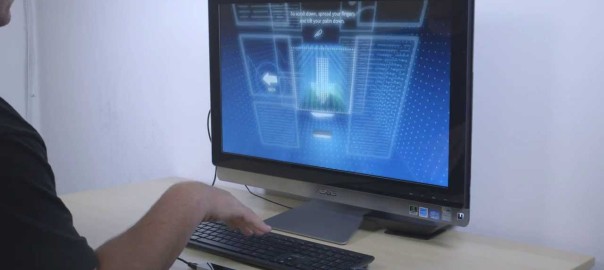
After his great app GameWave – Geert Bevin has released a new free app called HandWave. With HandWave you can control you OS (Windows & MacOS).
Holographic Jurassic Park
The people from m1_interactive have already presented a bunch of fantastic work with Leap Motion. This time, they use a RealFiction LCD and Leap Motion to rotate a giant dinosaur head in 3d Space. It’s a great tool for museums and other places of education – or for instance for a park on Isla Nublar….
Draw in 3d space with LEAP Motion
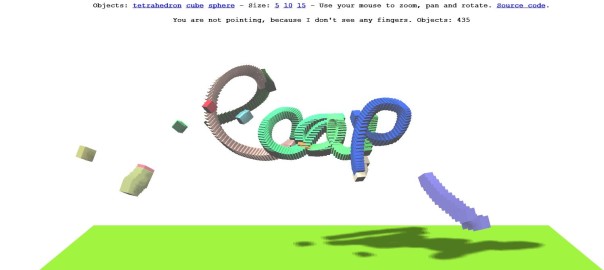
User and programmer Theo Armour has published a nice demo of drawing in 3d with LEAP Motion. All you need is a browser, your hands and a leap motion.